Icon of program: Malware Defender

Malware Defender for Windows

  • Trial version
  • 4.2
    263
  • 39.6K
  • V2.4.4
Download for Windows

View an ad to download for free

Comprehensive Protection with Malware Defender

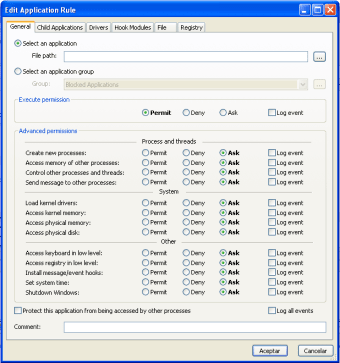
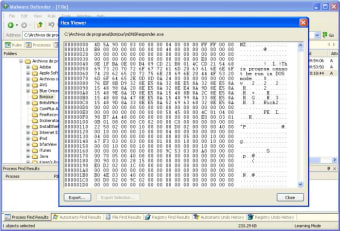
Malware Defender is a trial version security application designed for Windows that specializes in anti-spam and anti-spy functionalities. This software aims to protect users from unwanted spam and potential spyware threats, ensuring a safer online experience. With a focus on security, it provides essential tools to detect and eliminate malicious software, safeguarding personal information and enhancing privacy while browsing the internet.

Top Recommended Alternative

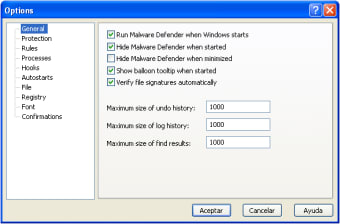
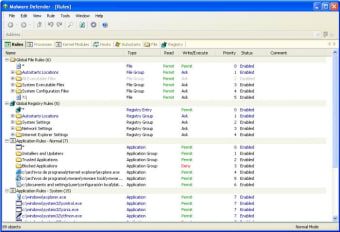
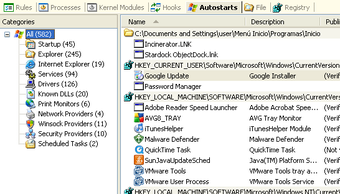
The application features an intuitive interface that allows users to easily navigate through its various functions. Malware Defender offers real-time protection, scheduled scans, and customizable settings to suit individual security needs. As a trial version, it gives users a chance to evaluate its capabilities before committing to a full purchase, making it an accessible option for those looking to enhance their system's security against spam and spyware.

 0/8

App specs

  • Developer

    • Torchsoft
  • License

    Trial version

  • Version

    2.4.4
  • Latest update

  • Platform

    Windows

  • OS

    Windows 7

  • Language

    English

  • Downloads

    39.6K

    Last month's downloads

    • 6
  • Size

    1.74 MB

Program available in other languages


Icon of program: Malware Defender

Malware Defender for PC

  • Trial version
  • 4.2
    263
  • 39.6K
  • V2.4.4
Download for PC

View an ad to download for free


User reviews about Malware Defender

4.2

1 reviews

Add review

Main reviews for you

  • Anonymous user

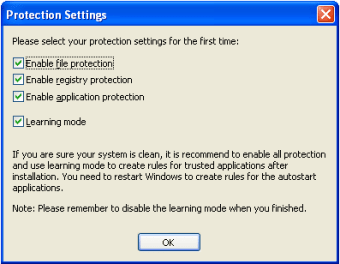
    One of the best freeware Security Software I have ever seen!. You have to use the Safe Processes with Learning Mode first without running Unsafe Processes! Then Switch back to Normal Mode you really would'nt need to use any Firewall or Antivirus Software. Some stuff like flash when using Web Browser still have to be added to Trusted List or just enable Learning Mode again also same applies to all safe functions in Windows for example open a picture using another Windows program etc. I've also tested it with CLT and it has a full score! Missing some Screen and Webcam blocking features etc. apart from this your Computer is still 100% sealed to the teeth. The ONLY problem's I see is that most people who use Computers Today are not educated enough to use their own Computer System's and blame it on the Security Software like stupid human beings, they don't even want to learn anymore than what they already know about Computers and just take the bloody shortcuts all the time this is very funny! Pros: You now don't even need any Firewall And Antivirus Software! Cons: Missing some Screen And Webcam Blocking etc. but not really necessary!

More

You may also like

Alternatives to Malware Defender

Explore Apps

Latest articles

Laws concerning the use of this software vary from country to country. We do not encourage or condone the use of this program if it is in violation of these laws.
Softonic

Is Malware Defender safe?

99/100

Score result: Clean

This file passed a comprehensive security scan using VirusTotal technology. It is safe to download.

  • Virus free
  • Spyware free
  • Malware free
  • Verified by Security Partners

    VirusTotal logo

Scan Info

Last scan
Saturday, December 9, 2023
Scan provider
VirusTotal · Full report

File Integrity

File
md_setup.exe
SHA256
17240aa99a74af5fe4f7c9d433954b142debc3b6cebf2d30bf306104da8b22d6
SHA1
6044c2245cd860ba14c1884b7031624e0f7da279

Softonic security commitment

Malware Defender has been thoroughly scanned by our advanced security systems and verified by industry-leading partners. This file comes from the official developer and has passed all our security checks, showing no signs of viruses, malware, or spyware. For more information, visit our Security and Trust Center

Signed in to Softonic as